


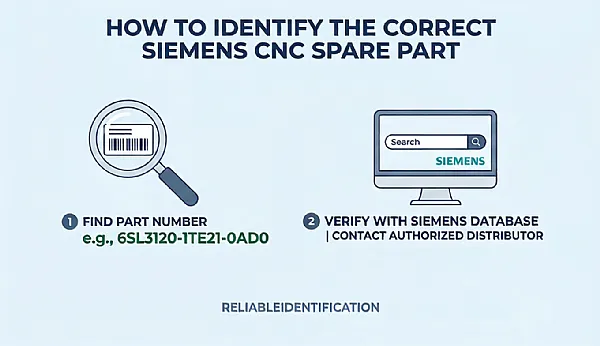
Put simply, the thing we're talking about here (Siemens CNC spare parts) you can't just tell what it is by looking at it and the name of the series. You have to know the full part number and you have to know how to identify it.
I came across this myself at one stage. The customer was quite insistent, said they had a bad SINAMICS motor module and had sent over a photo. It was a bit blurry, you could see it started with '6SL3120' and the last few digits were just not quite legible. If you were to go on the series name at that point you'd be very likely to order the wrong module.
Later the customer took a clear photo of the label. The full number was 6SL3120-1TE21-0AD0. I looked that up on the Siemens site and it's a SINAMICS S120 single motor module (DC 600V input, 3 phase 400V output, 9A), Booksize D type, internal air cooling, comes with a DRIVE-CLiQ cable. Only after I'd cross checked all the parameters against the original did I feel safe enough to place the order. So part numbers, that job you can't rush.
Where can I find the part number? The label has a lot of info, don't grab the wrong thing
To replace a part you first need to locate the product label on the old part. Modules, drives and boards will all have a nameplate/sticker with the order number, serial number, hardware version etc. printed on it. The label may be on the side, the bottom or it may be obscured by cables in which case you'll have to move things about to get at it. If the label is worn and illegible then you can try digging through the original packaging, the equipment docs, the spare parts list or previous repair records. If you absolutely can't find it then take a few clear photos of it (front and back and a close up of the label) as you'll need them later when you're in touch with the supplier or when you're looking up information.
One thing to be absolutely clear about when you're copying the part number: don't miss a single character. I've seen people read a "0" in the order number as an 'O' and have completely missed the last suffix and the search result is totally different. Don't work out the full number from a few visible digits. And don't order it simply because someone has described it as "that Siemens module". With this one, being out by one digit won't cut it.
Several strings of numbers on the label, which one is the order number?
Siemens product labels will frequently have several groups of numbers on them, but the use of those numbers is different.
- The order number (also known as the article number) is used to search the product in the catalogue and to place the order.
- The SN identifies a single unit and in some cases is required to check spares.
- The hardware version is for compatibility reference only.
- There could be other identification codes.
Not every Siemens product label is the same so you can't assume that all the numbers on the label are order numbers. You have to look at the documentation for that particular product or ask the question very clearly.
For example this number 6SL3120-1TE21-0AD0. You can look that up on the Siemens Industry Mall and it comes out as a SINAMICS S120 single motor module. The full order number is far more useful than just the series name "SINAMICS S120" as that only takes you around the range. You still have to look at the full number to see if it actually works.
After finding the number, verify it on Siemens official channels
Once you've got the full number then don't go rushing off to look for the stock. Go to the Siemens official site first and check it. The Siemens Industry Mall is the most commonly used. Enter the full order number and look at the product name, type, technical description, ratings, documents and manuals, product lifecycle or availability. Don't just look at the title in the search results. Go to the product page and read the full description, make sure it matches the old part that you're holding in your hand.
There's another tool out there called Siemens Spares on Web for the Siemens spare part lookup. It'll sometimes ask for the order number, the serial number or some related option info. You just fill in the relevant fields as it prompts and it'll give you the corresponding spare part information. If you can't find it, don't just immediately conclude that that part is therefore hopeless. First of all check that the info you've entered is correct. Then go through the documents or contact Siemens support. If you can't find it, that doesn't necessarily mean there's no stock or it can't be found.
The compatibility gate is even more critical than identifying the number
Getting the part number right is only half the job really. You also have to check that this replacement is in fact suitable for your particular machine and configuration. First figure out which CNC or drive system this part goes into, then compare the technical details:
- Component type and purpose
- Electrical ratings and operating requirements
- Mechanical form and mounting requirements
- Communication interface and connections
- Related hardware configuration or safety requirements
Different bits have different things to check. If you're replacing a drive module you've got to look at the electrical ratings, the interfaces and the overall drive configuration a few more times. Replacing a simple accessory may not be that onerous at all.
Take the 6SL3120-1TE21-0AD0 again as an example. The Siemens product page for that item states it is a SINAMICS S120 single motor module, DC 600V input, three phase 400V output, 9A, Booksize D type, internal air cooling and lists the supported safety functions as well as the included DRIVE-CLiQ cable. When you're looking for that module you have to check the full order number and the full official description against the old part and against the system requirements. Don't assume that two modules from the same product range and which look the same can just be interchanged. You really can't.
If you're not 100% certain about the order number, the system config or the replacement compatibility then find someone to confirm it before you go and order it. Don't just go and decide on your own.
What if the part number is actually really hard to find?
Some Siemens CNC spare parts are absolutely impossible to identify. The machine is old, the label is shot, the documentation is gone, the product may have changed and the lifecycle status will have an impact on availability. At that stage don't just make a guess. Look at the label again very carefully, confirm every character you can see clearly. Use the full number to search the Siemens Industry Mall. Go through the equipment manuals and spare parts documentation. If that still doesn't work then get in touch with Siemens support or a reputable spare parts supplier to confirm.
If someone is suggesting a substitute model or a successor model you need to look at the official documentation to establish the relationship between the two. You can't just assume it can be directly substituted on the basis of the description being similar or the number being newer. If you're looking at second hand or refurbished parts you need to be absolutely clear about the condition, test status, warranty and return policy.
Asking a supplier for a quote, only when the information is complete is it fast
The more complete the information you provide the supplier the easier they will be able to assist you in identifying the correct spare part and the less back and forth you will need. Before asking for a quote, prepare:
- The complete part number
- Clear photos of the product label and the assembly
- Machine brand and model (if available)
- CNC or drive system model
- The fault symptom or related alarm information (if applicable)
- Whether you want a new part or a second-hand part
If you're in any doubt as to whether this is the correct replacement then be very clear as to the application and take a few more photos of the original part. That way the supplier have more information to go on to verify the product and to work out what their next step should be.
We SongWei CNC supply new and reconditioned parts for Siemens CNC and industrial automation. We also offer a full range of testing and repair services. If you're not quite sure what you're looking for then just send us the full part number and photos of the part in question. That's a pretty good starting point.
When identifying Siemens spare parts, don't make these mistakes
To sum up a few common pits:
- Using an incomplete number (missing a suffix or a character) — easy to get wrong.
- Treating the serial number as the order number (these are two very different things).
- Just going on looks (they're pretty much the same) but the technical specifications could be very different.
- Ignore system compatibility (it's the right part but won't fit the system in any case) — that won't do at all.
- Assuming a replacement can be swapped you'll need to check via the appropriate technical documentation prior to ordering.
When you're buying spares for old equipment or second hand parts these checks are particularly important.
Summary: Identifying the correct Siemens CNC spare part
Identifying the Siemens CNC spare part is: start with the full order number, check it against the Siemens literature and then check the technical compatibility of the replacement with the actual machine. If the part number isn't clear or the original part is difficult to source then you go through the machine documentation and give the qualified supplier as much detail as you can on the identification.
Getting it right prior to purchase means fewer wrong orders, fewer days of waiting, less wasted money and a more stable repair process. If you need any assistance with Siemens CNC spares, testing or repair then SongWei CNC can help you look at the requirement and work out what the next step is.